· AI Workforce · 4 min read
How AI Workflow Automation Saves SMBs 40+ Hours a Week
Learn how AI workflow automation with Sub-Agents and MCP saves SMBs 40+ hours per week. Replace manual data entry, email triage, and reporting with intelligent AI workers.
Most small business owners don’t realize they’re running their company on a patchwork of manual processes. One person copies data from an email into a spreadsheet. Another person checks that spreadsheet every morning and forwards updates to the team. A third person formats reports for the accountant.
None of these tasks require human judgment. But together, they eat up 40+ hours per week — the equivalent of a full-time employee doing nothing but copying, checking, and formatting.
AI workflow automation changes that. And with new tools like Sub-Agents and the Model Context Protocol (MCP), it’s finally affordable for businesses with fewer than 50 employees.
What Is AI Workflow Automation?
Traditional automation (Zapier, Make, Power Automate) connects apps with simple if-then rules. It works for straightforward tasks — send an email when a form is submitted, update a spreadsheet when a deal closes.
AI workflow automation goes further. It can:
- Read and understand unstructured data (emails, PDFs, chat messages)
- Make decisions based on context, not just rules
- Handle exceptions without human intervention
- Learn from outcomes and improve over time
For an SMB, this means the AI doesn’t just move data between apps — it actually does the work.
Sub-Agents: Your AI Team Within a Team
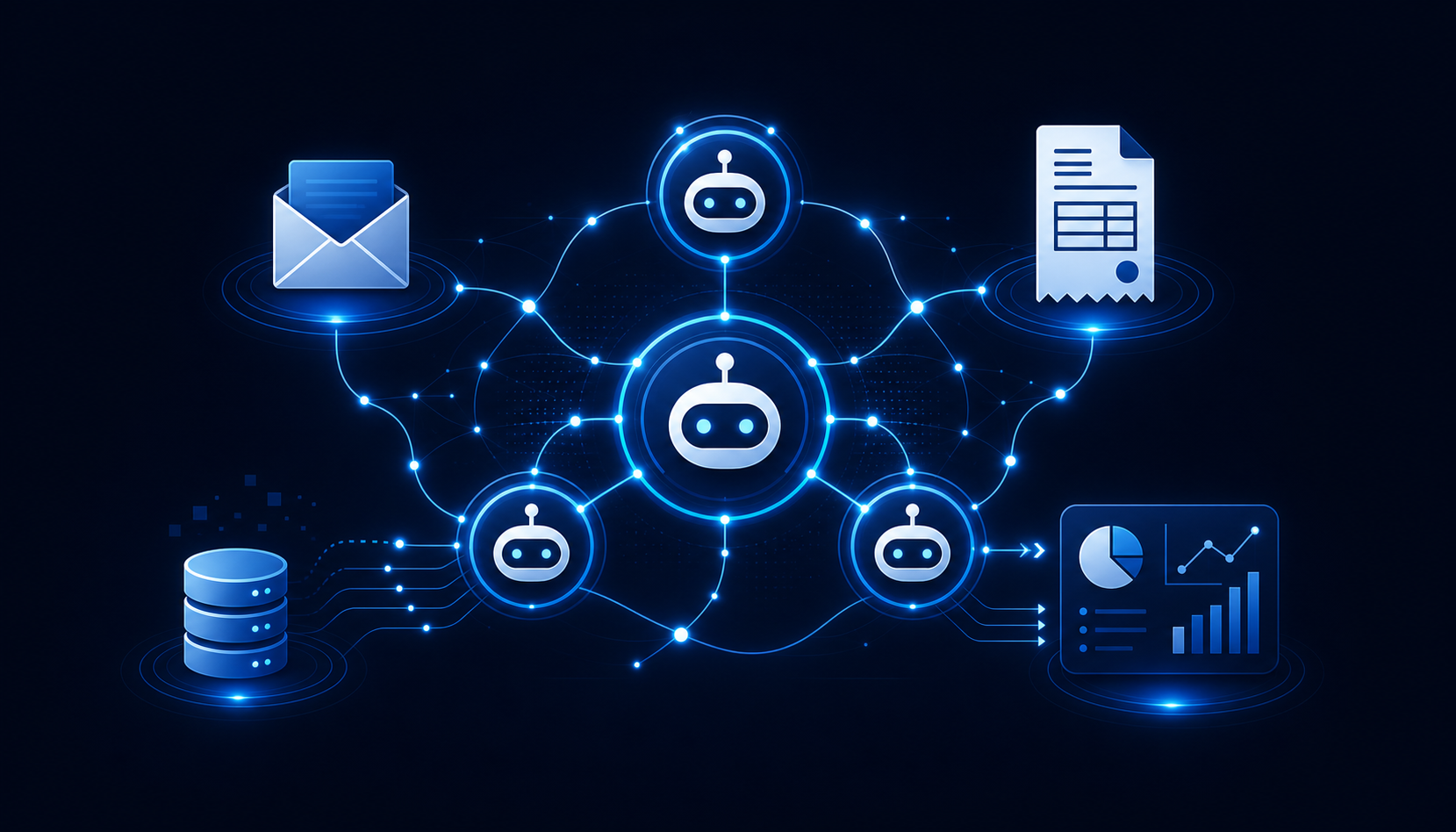
Think of a Sub-Agent as a specialized AI worker. Instead of one general-purpose AI trying to do everything, you deploy focused agents for specific jobs:
- Inbox Agent — Triages incoming emails, drafts replies, escalates urgent items
- Invoice Agent — Reads incoming invoices, extracts key data, creates records in your accounting system
- Customer Agent — Answers common support questions, routes complex issues to humans
- Reporting Agent — Pulls data from multiple sources, generates weekly reports, flags anomalies
Each Sub-Agent handles its own workflow independently. But they share context when needed. A customer email triggers the Inbox Agent, which routes a billing question to the Invoice Agent, which resolves the issue and logs it — all without human touch.
MCP: The Protocol That Makes It Work
Model Context Protocol (MCP) is the plumbing that connects AI agents to your existing tools. Instead of building custom integrations for every app, MCP provides a standard way for AI to:
- Read from your CRM, email, or database
- Write back updates and records
- Execute actions across multiple systems
For an SMB, this means your AI workflow automation can plug into the tools you already use — Google Workspace, QuickBooks, Shopify, Slack — without expensive custom development.
Real Numbers: What This Looks Like in Practice
Here’s what we see with SMBs running AI workflow automation:
- Invoice processing: 3 hours/week → 15 minutes/week
- Customer email triage: 5 hours/week → 30 minutes/week
- Weekly reporting: 2 hours/week → 10 minutes/week
- Data entry between systems: 8 hours/week → near zero
That’s roughly 17 hours per week saved per department. For a 20-person company with three departments doing this work, you’re looking at 50+ hours per week reclaimed.
Getting Started Without Breaking the Bank
You don’t need a six-figure IT budget to deploy AI workflow automation. Here’s the realistic path:
- Start with one workflow — Pick the most painful repetitive task. Invoice processing or email triage are common first wins.
- Use a platform, not custom code — Tools like EchoAI provide pre-built Sub-Agents that connect to your existing stack via MCP.
- Measure before and after — Track time spent on the task for two weeks before deployment. Then compare.
- Scale what works — Once the first workflow is running, add a second. Most SMBs automate 3-5 workflows within the first quarter.
The cost? Typically 00-400/month for a platform that handles multiple workflows. Compare that to hiring a part-time admin at ,500/month — or a full-time one at ,500/month.
The Bottom Line
AI workflow automation isn’t about replacing your team. It’s about removing the busywork that keeps them from doing their best work. With Sub-Agents handling routine tasks and MCP connecting everything together, SMBs can finally operate with the efficiency of a much larger company — at a fraction of the cost.
The businesses that figure this out first will have a serious advantage. The ones that don’t will keep burning hours on tasks that should have been automated years ago.
Ready to see what AI workflow automation can do for your business? Book a Demo and we’ll show you exactly where the time savings are hiding in your operations.